

How to Submit a Proposal
RIPE Meetings use Pretalx, an open source conference management tool, to manage the submissions. Here’s a step-by-step guide to submitting your proposal.
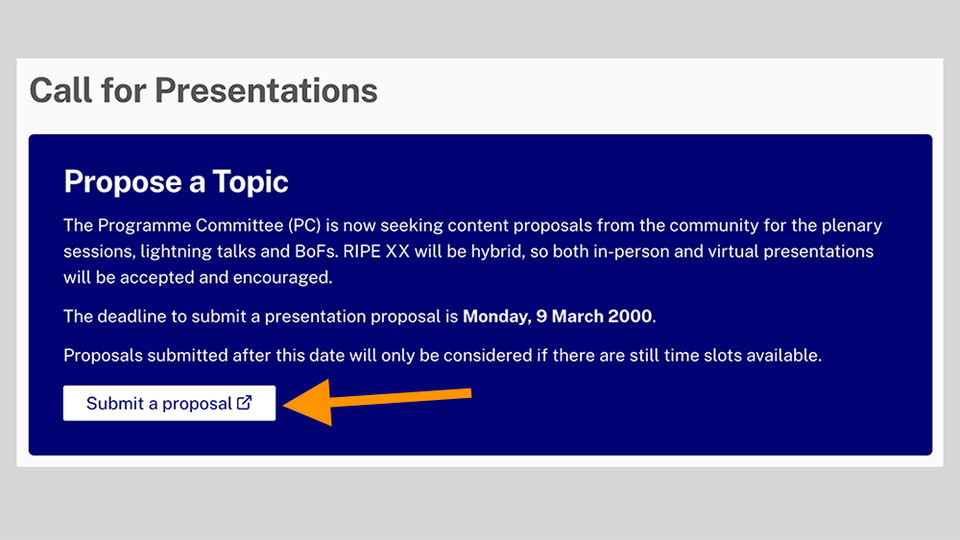
Step 1
Click on Submit a proposal
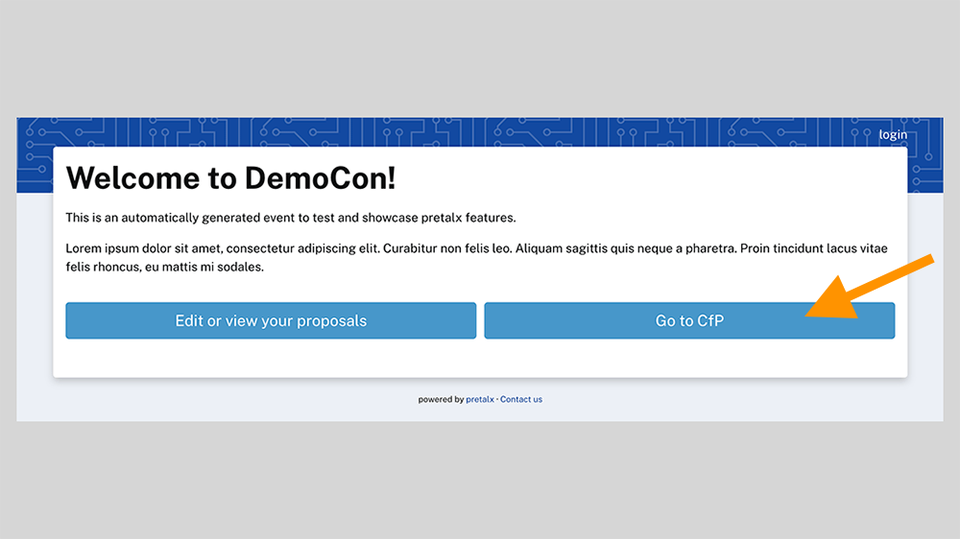
Step 2
Click on Go to CfP
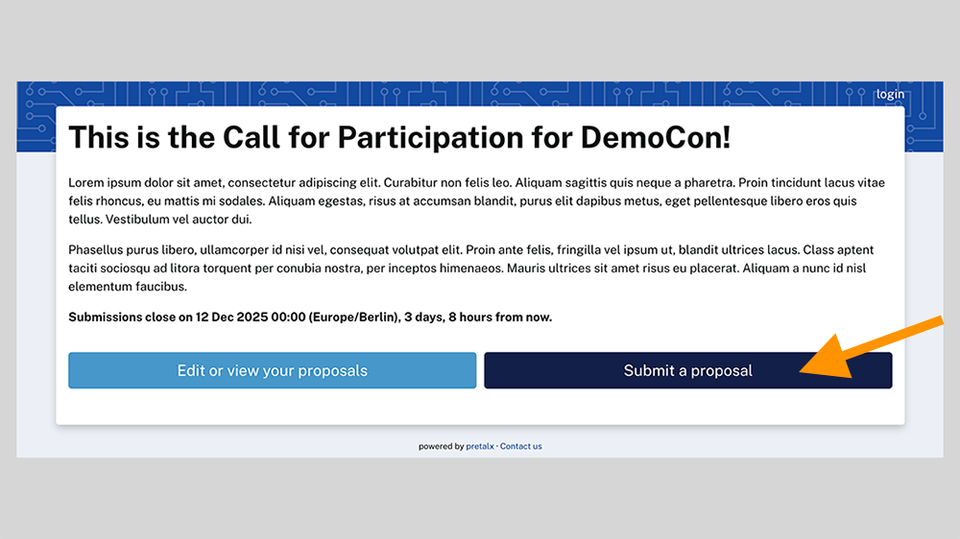
Step 3
Click on Submit a proposal
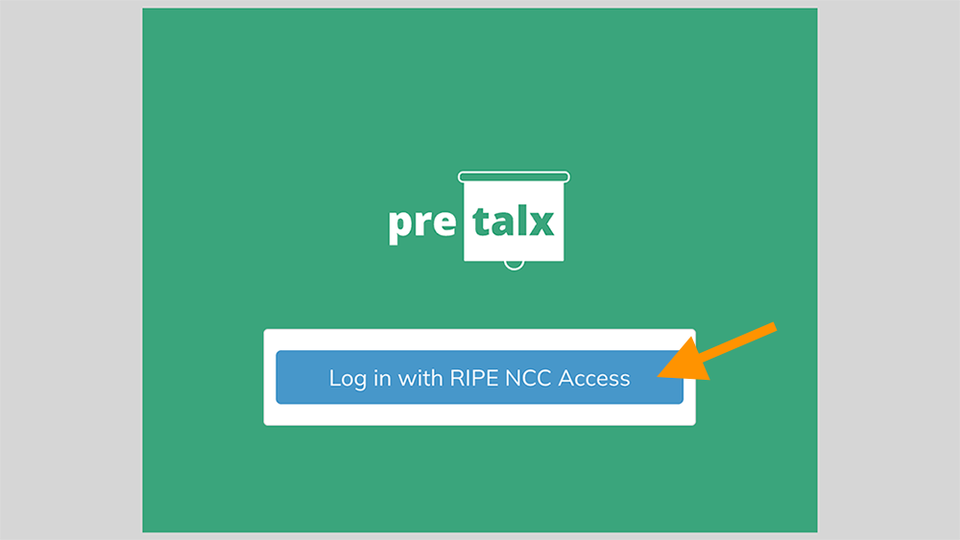
Step 4
You will then need to log in using your RIPE NCC Access account. If you do not have an account, you can make one for free.
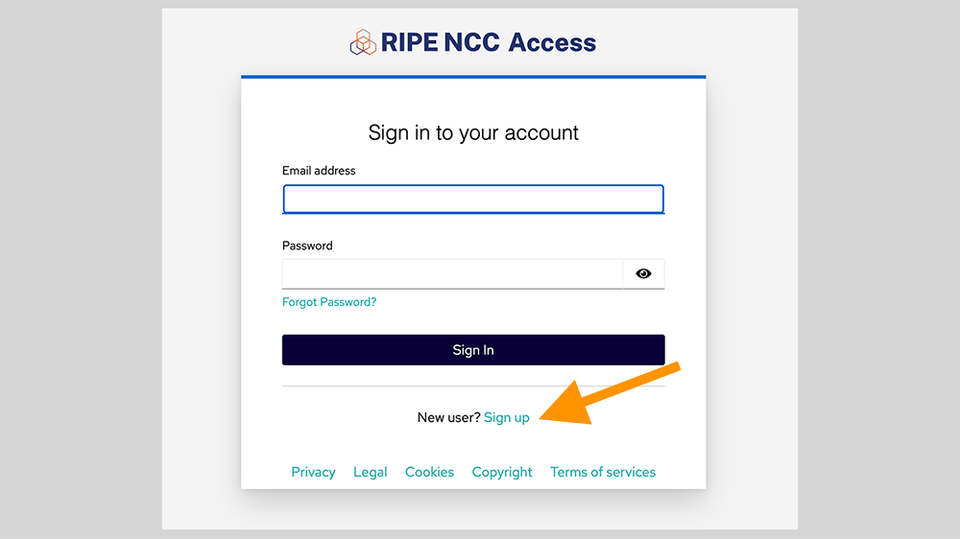
Step 5 (Optional)
You can skip this step if you already have a RIPE NCC Access account. If you have a RIPE NCC Access account, log in. You will need two-factor authentication.
If you do not have an account, you can make one for free.
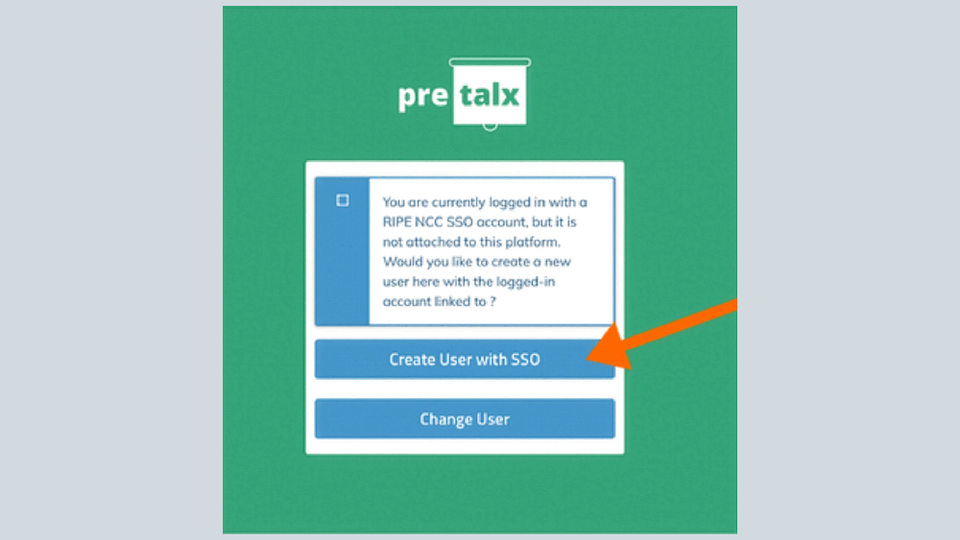
Step 6
Once you’ve signed in, click on Create User with SSO.
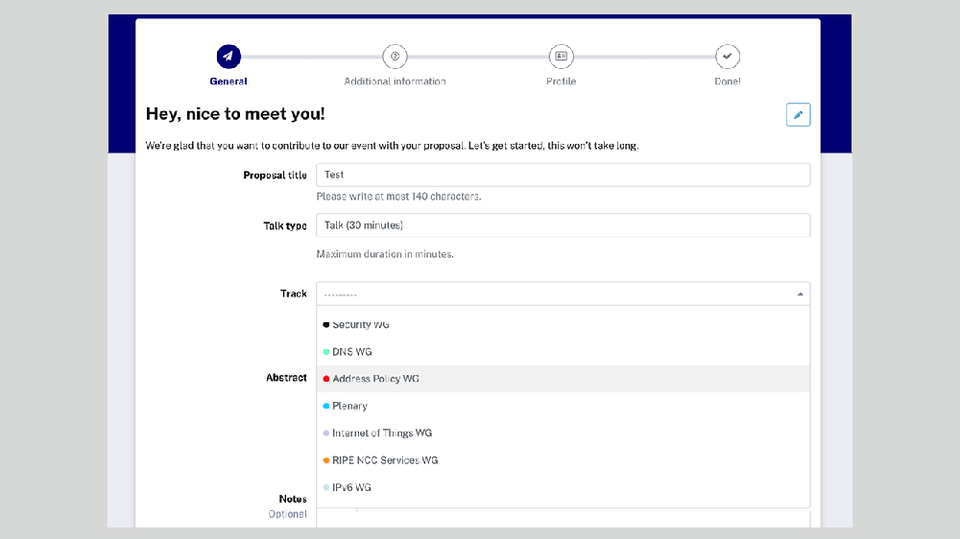
Step 7
Add details about your proposed talk.
Important: Select Plenary if you would like to submit a proposal for a main plenary session.
To submit a talk for a working group, use the dropdown menu to select the Working Group (Track) for which you would like to submit your proposal.
The plenary proposals and working groups have different deadlines. If the deadline for plenary proposals has closed, you will not be able to select Plenary as an option.
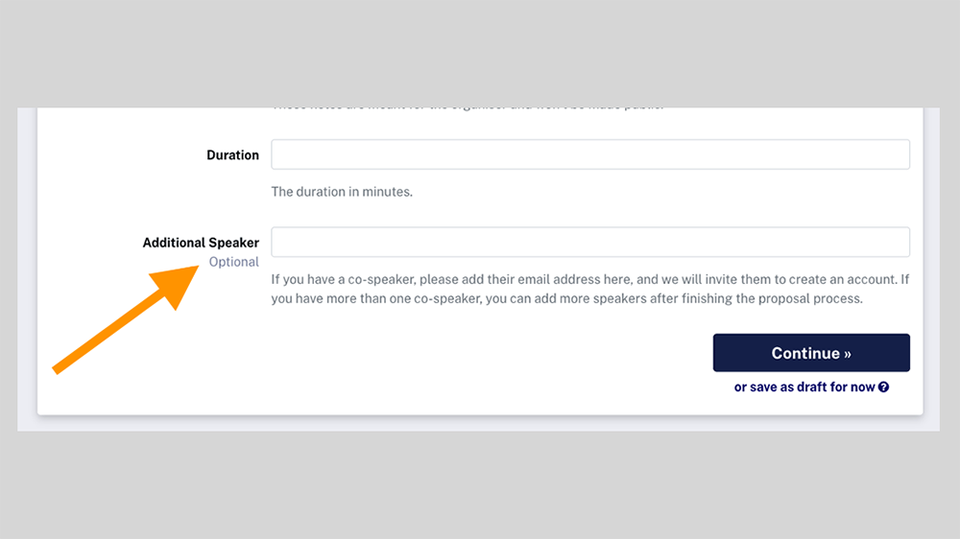
Step 8
You can use the Additional Speaker field to add the email addresses of any co-presenters.
Step 9
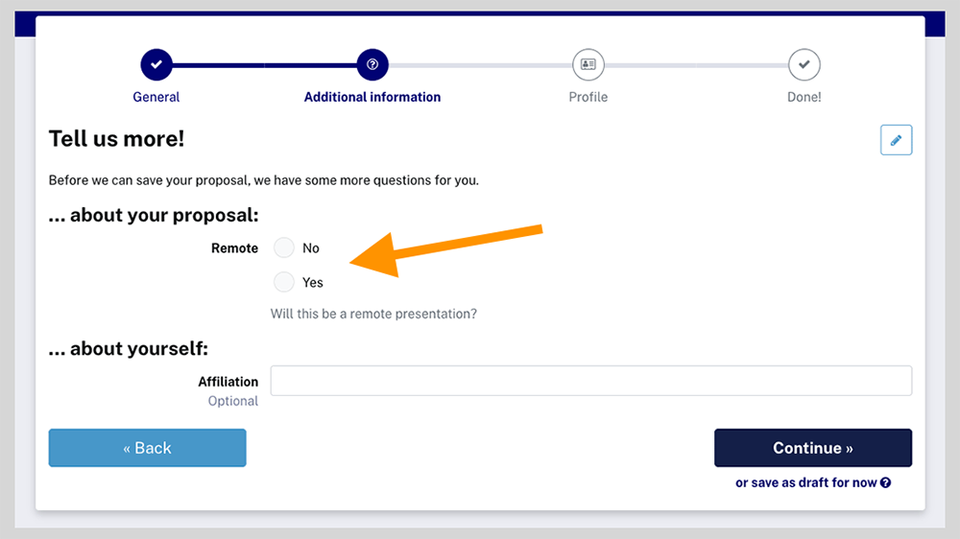
Let us know whether you are presenting remotely or in person. Click on Continue to add your profile details.
Step 10
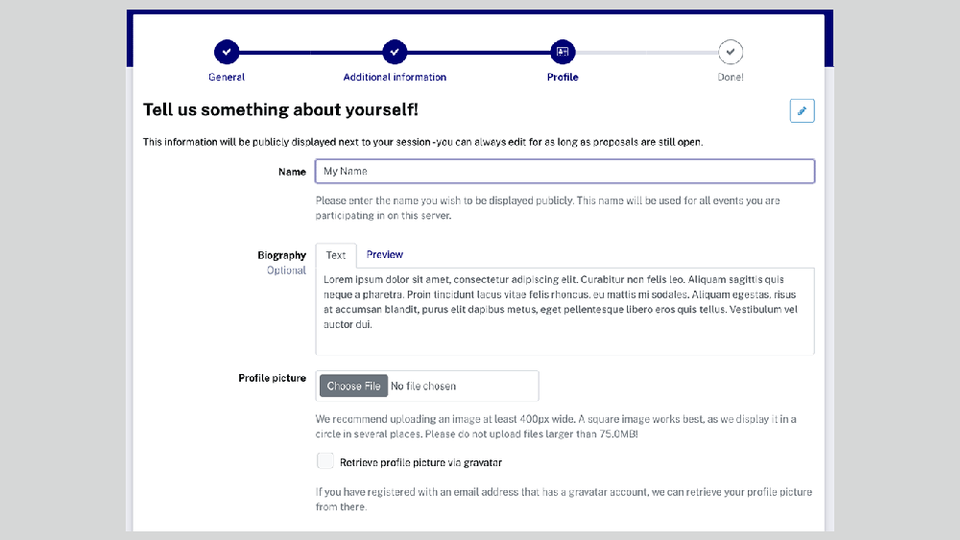
Complete the Profile information section. You can add a photograph and a short bio that will be published if your proposal is accepted.
Step 11
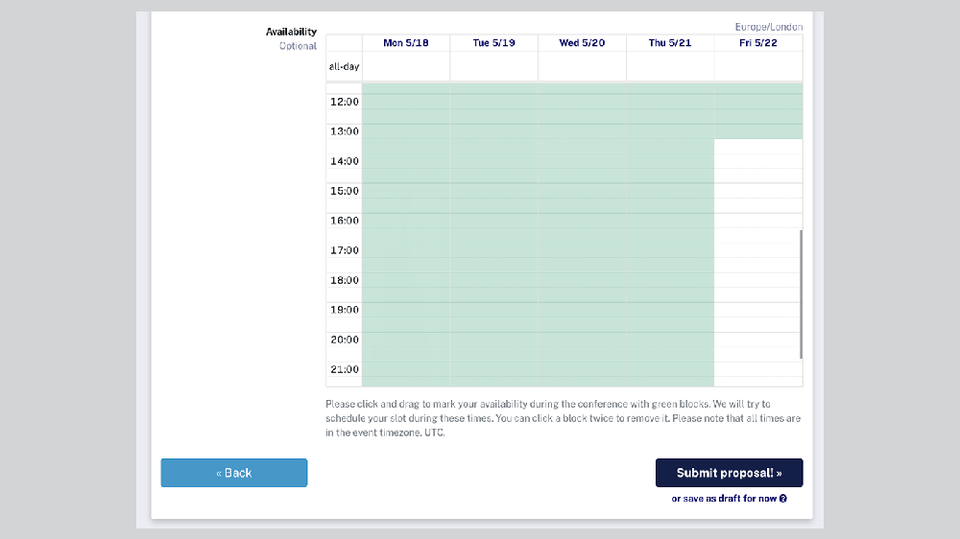
You can also mark your preferred time slot as a speaker. Please note that if your proposal is accepted for a plenary session, you may be given a speaking slot for Friday morning.
Step 12
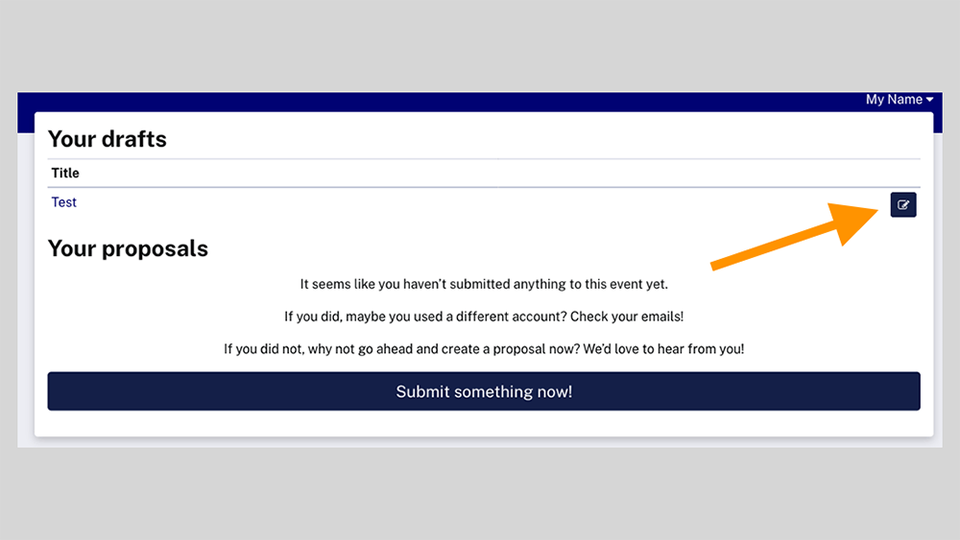
Save your draft! Use the Edit button to add slides.
Once you’ve saved your draft, you will be able to upload slides.
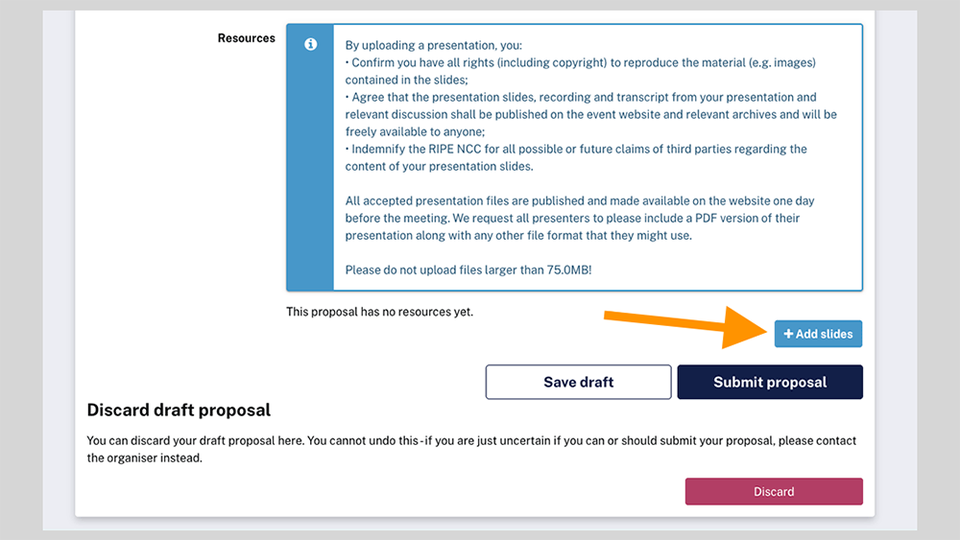
Step 13
Click the Add slides button to upload your slides.
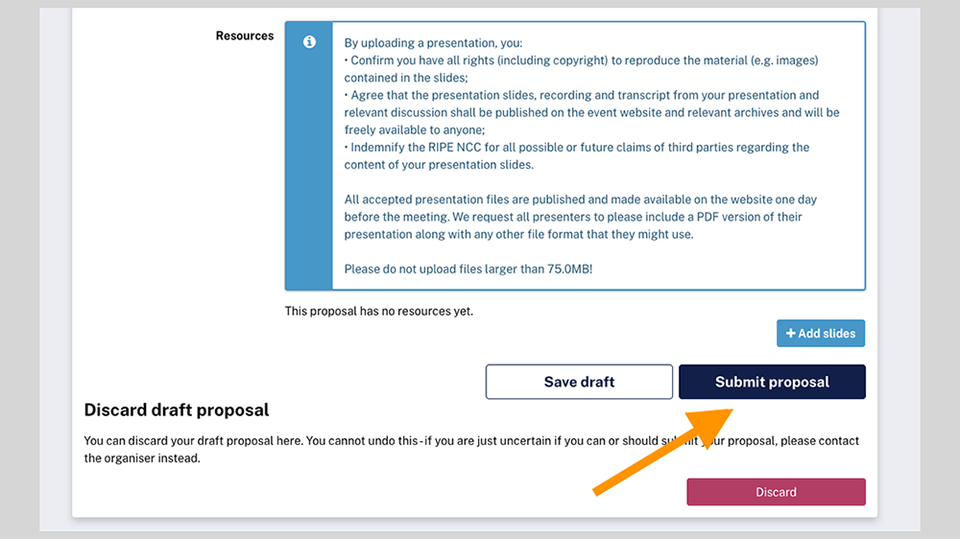
Step 14
Submit your proposal! Or Discard it and begin again.